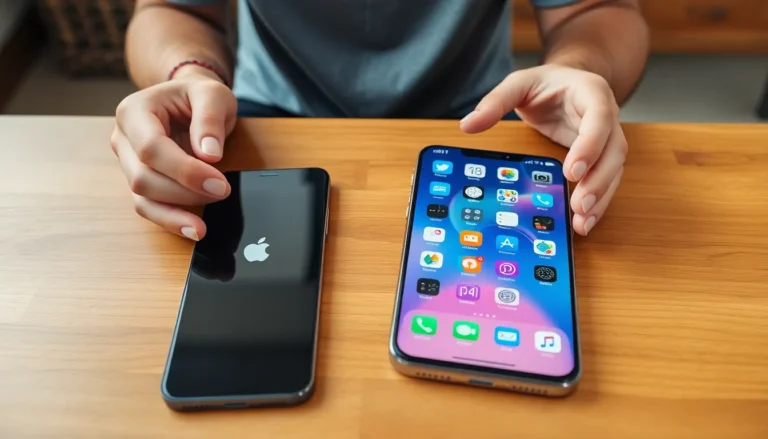

In a world where “123456” just won’t cut it anymore, keeping passwords fresh is more crucial than ever. If your iPhone’s been holding onto those ancient passwords like a hoarder with old newspapers, it’s time for a digital declutter. Updating passwords not only boosts security but also gives you a sense of control—like finally organizing that junk drawer!
Importance Of Regular Password Updates
Regularly updating passwords boosts security for personal devices, including iPhones. Weak passwords like “123456” can lead to easy breaches. Cyber threats frequently evolve, making it essential to stay ahead of potential risks.
Enhancing password complexity increases protection against unauthorized access. Storing outdated passwords can leave sensitive information exposed. Updating them allows users to regain control over their security.
Utilizing unique passwords for different accounts also reduces the risk of a domino effect in case of a breach. A single compromised password can lead to multiple accounts falling prey to malicious actors.
Setting reminders to change passwords every few months promotes proactive security measures. A well-organized password management system aids in tracking updates and complexities. Maintaining this discipline ensures that even the busiest individuals can prioritize security without added stress.
Developing a habit of reviewing password strength becomes essential in today’s digital landscape. Users should consider adopting password managers for ease of access and random generation of strong passwords. Such tools simplify the update process while fortifying account defenses.
Consistently updated passwords contribute to a solid foundation for digital security. Vigilance in monitoring account activity also plays a crucial role in spotting unauthorized attempts. Keeping passwords fresh fortifies one’s online presence and minimizes the risk of identity theft.
Steps To Update Passwords On iPhone

Updating passwords on an iPhone enhances security against breaches. Follow these steps for specific updates.
Updating App-Specific Passwords
To update app-specific passwords, first, open the Settings app. Navigate to Passwords and use Face ID or Touch ID to unlock the section. Scroll through the list of saved passwords until finding the app associated with the password. Tap on the app, then select Change Password. After entering the current password, type the new password and confirm it. Save the changes to ensure the app uses the updated password. Completing these steps enriches app security and reduces the risk of unauthorized access.
Updating Apple ID Password
To update the Apple ID password, start by opening Settings. Tap on the user’s name at the top, then select Password & Security. Choose Change Password and input the current password. Next, create a new password that meets Apple’s requirements. Confirm the new password before pressing Done. Regularly updating the Apple ID password protects vital information associated with the account, ensuring that personal data remains secure.
Using iCloud Keychain For Password Management
iCloud Keychain offers a robust solution for managing passwords on an iPhone. This built-in feature securely stores passwords, making updates simple and efficient. After activating iCloud Keychain in the Settings app, users gain access to saved passwords across devices, ensuring convenience.
To update passwords through iCloud Keychain, users can follow these steps. First, open the Settings app and navigate to Passwords. Face ID or Touch ID authentication provides security for this section. Once the password list appears, users can locate the specific app needing an update. Entering the current password followed by the new password confirms the change seamlessly.
iCloud Keychain also simplifies the process of creating strong, unique passwords. Users can generate complex passwords with just a tap, enhancing security against potential breaches. This feature encourages regular password updates, aligning with the practice of safeguarding accounts.
Utilizing iCloud Keychain ensures that users promptly update their passwords, adhering to best security practices. Consistent password management reduces vulnerabilities and fortifies personal information. Regular checks and updates help maintain an organized approach to digital security.
Common Issues When Updating Passwords
Users often encounter issues when updating passwords on their iPhones. Difficulty remembering complex passwords can lead to frustration. Lost access to accounts occurs when passwords are incorrectly entered multiple times.
App-specific password updates sometimes fail due to syncing issues with iCloud Keychain. Users may notice that saved passwords don’t reflect recent changes after updates. Forgotten Apple ID passwords present challenges, hindering the ability to reset access credentials quickly.
Connecting to Wi-Fi networks is essential, as interruptions can cause updates to fail. Users should ensure an active internet connection during the process. Security settings may inadvertently block certain password changes if updates do not comply with existing requirements.
Receiving error messages while trying to update passwords often confuses users. Seeking help through Apple’s support resources can provide solutions for common problems. Additionally, forgetting two-factor authentication codes complicates the password update process.
Relying solely on the device can present issues if backups are not scheduled regularly. Data might be lost if devices are reset without performing backups prior to password changes. Regularly backing up data ensures users recover information to ease the process.
Persistent issues with password updates can arise from outdated software versions. Compatibility problems may inhibit successful updates, making it crucial to keep the iOS current. Keeping devices updated minimizes risks and enhances overall security.
Maintaining strong, unique passwords is vital for safeguarding personal information. Prioritizing a systematic approach to updates helps create resilient defenses against unauthorized access. By addressing these common issues, users can enhance their password management practices effectively.
Updating passwords on an iPhone is a vital step towards enhancing digital security. By regularly refreshing passwords and utilizing tools like iCloud Keychain, users can maintain a robust defense against potential breaches. It’s important to embrace complex and unique passwords for different accounts to minimize risks.
Staying vigilant about account activity and setting reminders for password updates can further strengthen security measures. Overcoming common challenges during the update process ensures a smoother experience. Ultimately, prioritizing password management not only protects personal information but also fosters a secure digital environment.